 Start free
Viral library
Put yourself into 497 viral videos
Pick a TikTok that already blew up, add one selfie, and you're in it: same moves, same camera, same sound. Every video here was checked for one person facing the camera, so the swap comes out clean.
- 497viral videos
- 11.1Bviews combined
- 7categories
- 1 selfieis all you need
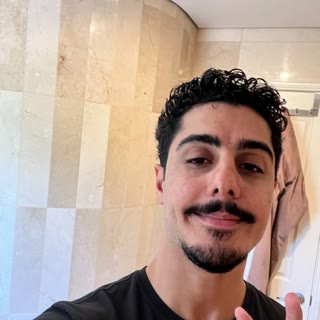 One selfie
Comedy 182 videos
Skits, reactions and memes from the biggest comedy creators on TikTok.
96M viewsSwap me in
Must be the wind
128M viewsSwap me in
They were there yesterday, I promise
85M viewsSwap me in
Had all day to charge it
108M viewsSwap me in
DM to purchase
36M viewsSwap me in
Fast Invisalign beatbox 🗣🦷🤯
34M viewsSwap me in
levels of jonkler beatbox 🗣️🤡🔥
27M viewsSwap me in
jonkler beatbox 🗣️🤡
21M viewsSwap me in
Jonkler dance beatbox 🗣️🤡🔥
18M viewsSwap me in
aura
16M viewsSwap me in
Beatbox food bracket challenge 🗣🍕🍔🧀🧇🍝
10M viewsSwap me in
Every day I’m waking up to a new insane hack! 🤯 what’s…
9.3M viewsSwap me in
Nah Spain second division needs to rein it in…🤯
Show all 182 comedy videos
7.3M viewsSwap me in
1 like = $1
7.2M viewsSwap me in
The audacity
6.7M viewsSwap me in
public service announcement 🗣️🎆
6.6M viewsSwap me in
the way I could easily do this trend with a million…
6.4M viewsSwap me in
I’m SO HAPPY you guys like the snippet OMG
5.6M viewsSwap me in
❤️🙌🏻
5.5M viewsSwap me in
Love to all the Mamas out there 🫡❤️
5.4M viewsSwap me in
tiktok de noche
5.0M viewsSwap me in
😇
4.4M viewsSwap me in
Read to filth
4.3M viewsSwap me in
Trend by @trevorwallace
3.2M viewsSwap me in
🫠
7.9M viewsSwap me in
Trend by @tonylopez
2.4M viewsSwap me in
don’t ever waste my time like that again tf LMAO
4.1M viewsSwap me in
Not my problem tho
1.5M viewsSwap me in
LOCK IN 🥜
7.6M viewsSwap me in
Idk what bro is saying
21M viewsSwap me in
Rae long time no talk
37M viewsSwap me in
Trend by @jordan_the_stallion8
2.8M viewsSwap me in
I’m bout to hurt your feelings!!!! 🤭
4.7M viewsSwap me in
Trend by @tonylopez
35M viewsSwap me in
Important announcement
21M viewsSwap me in
This trend but beatboxified 🗣🧈🪰🦋
12M viewsSwap me in
I feel like I know a few people with this condition…😅
13M viewsSwap me in
fastest guess ever ??
16M viewsSwap me in
Missed my old Bixie💕
2.9M viewsSwap me in
:)))
10M viewsSwap me in
That went by QUICK🥲
10M viewsSwap me in
Plant a tree or something
7.3M viewsSwap me in
Definitely couldn’t be traffic…
6.4M viewsSwap me in
still waiting for my check 🙄
2.9M viewsSwap me in
Trend by @domelipa
4.2M viewsSwap me in
can’t talk here … email me
4.2M viewsSwap me in
Trend by @domelipa
3.7M viewsSwap me in
average 49er scammer video 💰
3.2M viewsSwap me in
yall stress me OUTTTTTTT
3.5M viewsSwap me in
que nos pasó?
27M viewsSwap me in
They got that gimbal technology
11M viewsSwap me in
Umit… you got this 🐅
10M viewsSwap me in
Mana te amo
2.9M viewsSwap me in
looks like he’s just telling me I’m pretty, which works…
58M viewsSwap me in
Beatboxers need to stay hydrated 🗣️🎶💦Minute Maid A
7.9M viewsSwap me in
oops wrong version
40M viewsSwap me in
Trend by @jordan_the_stallion8
6.0M viewsSwap me in
take me to the moon A N N Y
20M viewsSwap me in
Who is it??🥺
17M viewsSwap me in
serious question, what do you get in your triple dipper?
8.2M viewsSwap me in
8.22.26 🤎 forever yours
4.5M viewsSwap me in
made this at 3am last night
14M viewsSwap me in
My skin has been soooo bad after my Halloween looks,…
25M viewsSwap me in
Beatbox challenge!! Me vs Cactus 🗣🎶🌵
11M viewsSwap me in
Ain’t no thang
4.4M viewsSwap me in
Trend by @domelipa
9.6M viewsSwap me in
You can’t control who views your content, but you can…
3.4M viewsSwap me in
freaked out
13M viewsSwap me in
THANK YOU FOR 52 MILLION!!! 🗣💚❎
23M viewsSwap me in
She’s a 10/10
33M viewsSwap me in
wait where did it go? 🤭
12M viewsSwap me in
Blanford
11M viewsSwap me in
Whenever I get the itch I just call Sis😂
5.9M viewsSwap me in
🍨 MORGAN WALLEN 3 🍨 presented by
5.8M viewsSwap me in
BIEBERCHELLA!!!!!! all using 🙂↕️
1.3M viewsSwap me in
todays cook up 🧑🍳 what songs should i do next?
4.0M viewsSwap me in
coming soon 🤭
2.1M viewsSwap me in
you’re a bad idea, but a real good time
4.4M viewsSwap me in
Partial
6.7M viewsSwap me in
Shego runs the world 💚
1.6M viewsSwap me in
one of those nights…
5.6M viewsSwap me in
I looked UGLY at my prom so you don’t have to! 💀 can’t…
5.1M viewsSwap me in
NAHHHHHHHHHHHHH
33M viewsSwap me in
with THIS IS INSANE 🤯
1.7M viewsSwap me in
in my room 😫
5.0M viewsSwap me in
Seriously so happy for her tho FR❤️
2.8M viewsSwap me in
Replying to let’s all put our thinking caps on for like a…
1.1M viewsSwap me in
The Rizzler was hit!
8.5M viewsSwap me in
SHE’S BAACCCCKKKKKKKK
14M viewsSwap me in
My brother is fighting Mike Tyson in 6 days!! LFG Paul
9.6M viewsSwap me in
I CAN’T BELIEVE HOW GOOD THIS TURNED OUT OH MY GOD!!!! 💀💜
4.6M viewsSwap me in
Trend by @tonylopez
33M viewsSwap me in
Just a little blowout trick Iike to do
14M viewsSwap me in
jonkler beatbox remix 🗣️🤡🎶
23M viewsSwap me in
New favorite trend 🗣🥾🐈
10M viewsSwap me in
30 in 1 month & never felt better
14M viewsSwap me in
“AI could kill all humans” 😳
9.1M viewsSwap me in
Sharing files has never been easier… thanks to 👀
4.8M viewsSwap me in
Any doppelgängers out there??
7.6M viewsSwap me in
Morphe ATE ME UP 😭💀 is it finally time to squash the beef…
4.8M viewsSwap me in
Trend by @tonylopez
39M viewsSwap me in
really resonating with my girl laurie on this
4.8M viewsSwap me in
👀👀👀👀
5.8M viewsSwap me in
I CANNOT STOP
33M viewsSwap me in
this is truly one of the best songs ever made 😮💨 ib:
3.0M viewsSwap me in
Yeah, you’re right Marreiro
4.3M viewsSwap me in
Many more 2020 vibes coming
1.0M viewsSwap me in
You’re a heartthrob
1.5M viewsSwap me in
The problem with Shane Gillis
3.0M viewsSwap me in
que lo vea mi novio
11M viewsSwap me in
LET’S DO THISSSSSS
3.8M viewsSwap me in
what the hell is a turn signal ???
42M viewsSwap me in
Trend by @jordan_the_stallion8
4.9M viewsSwap me in
Trend by @tonylopez
8.1M viewsSwap me in
the quietest I’ve ever been 😌
25M viewsSwap me in
Trend by @jordan_the_stallion8
5.9M viewsSwap me in
Man what a time 🚁
13M viewsSwap me in
Another day…
11M viewsSwap me in
Never a dull moment
4.6M viewsSwap me in
Trend by @tonylopez
2.5M viewsSwap me in
Are you rich?
6.8M viewsSwap me in
FINALLYYYYY
13M viewsSwap me in
bye sisters 🤪 ty for the jet Private Jets
8.0M viewsSwap me in
I’m a butter squishy 🧈
1.1M viewsSwap me in
Los Angeles, is it like Slovenia?
7.7M viewsSwap me in
Enter for a chance to hang with me and Balls
15M viewsSwap me in
Come run 20 miles with me W Franco
4.5M viewsSwap me in
Trend by @tonylopez
26M viewsSwap me in
genuinely cannot believe this isn’t my voice 😭 Espanto
11M viewsSwap me in
ELASTIGIRL ❤️
7.9M viewsSwap me in
on second thought…
11M viewsSwap me in
Guess the number 🤔💀 - Tour dates ⤵️ September 1st –…
14M viewsSwap me in
I’M ON THE WAY HAHAHAHAHA
12M viewsSwap me in
Worlds first look at the Galaxy Z Fold8! What do you guys…
3.5M viewsSwap me in
Que maquillaje debería de probar?🫣
6.0M viewsSwap me in
I always find a way to see him whenever I come to the UK 🫣❤️
2.5M viewsSwap me in
Trend by @kyleexum
6.4M viewsSwap me in
As the second oldest. Thank you Sis😅❤️
4.2M viewsSwap me in
Mándaselo a tu persona 🧏🏻♀️
1.6M viewsSwap me in
You hit your vape from the back?
14M viewsSwap me in
Beatbox challenge w/ mountain water
11M viewsSwap me in
It is the first foldable ever right?
1.2M viewsSwap me in
Patriots TEs love shots!
1.0M viewsSwap me in
Are you a Bronsexual?
1.5M viewsSwap me in
🍨 GRONK 🍨
4.3M viewsSwap me in
Unc still got it
12M viewsSwap me in
My fear of ticks after this…📈📈
1.0M viewsSwap me in
Why is Carolina so divided?
5.1M viewsSwap me in
SHOW US YOUR MEEMAWS!!! Submit your Meemaw for a chance…
11M viewsSwap me in
What do you guys think about this?😳
40M viewsSwap me in
sneaking photos gone wrong 😘
28M viewsSwap me in
I don’t even know how my hair stayed like that in the…
15M viewsSwap me in
I love my angel Labubu 🌸💕
15M viewsSwap me in
new UGLY BOY episode incoming 🚨
15M viewsSwap me in
HEADLESS HORSEMAN 🔪🐴 for klum ‘s halloween party!!!
7.2M viewsSwap me in
Guess the number (or politician) 😭
68M viewsSwap me in
I can’t stop 😩
2.9M viewsSwap me in
been that girl!!!! sorry!!!! 🤭
4.1M viewsSwap me in
🩷🩷🩷🩷
1.2M viewsSwap me in
What is your newest thing?
3.7M viewsSwap me in
Replying to wallace yeah. the streets RAISED ME 🗣️
13M viewsSwap me in
Believe it or not, the Holidays are upon us. Luckily,
3.2M viewsSwap me in
Mi rutina de skincare paso a paso para este glow ✨…
36M viewsSwap me in
🍋When life gives you AT&T or T-Mobile bills…🍋
5.1M viewsSwap me in
principal Mullens & Spider OTP!!!! Happy Halloween, team 🤭
18M viewsSwap me in
De vuelta a la rutina, pero siempre con este GLOW✨🤭…
6.0M viewsSwap me in
whataboutnowwhataboutnowwhataboutnow Rose
78M viewsSwap me in
Bro…. Where is the rest of my rice? 🍚🤨
39M viewsSwap me in
Gender predictions from the Paul family 👦🏼👧🏼
4.7M viewsSwap me in
AYYYOOOO 🤨🤨🤨🤨 Casserly
20M viewsSwap me in
WHO’S READY FOR TOMORROW
15M viewsSwap me in
Aura battles… a hard watch 🥀
3.0M viewsSwap me in
alguien que lo grabe conmigo?
3.4M viewsSwap me in
Shea 💃 😩
2.8M viewsSwap me in
When You Realize Your Friend’s Lives Are More Exciting…
4.6M viewsSwap me in
with every major city, comes the suburb kids 📍 speaking…
32M viewsSwap me in
ELASTIGIRL, PULL YOURSELF TOGETHER!!!
4.1M viewsSwap me in
Trend by @tonylopez
5.4M viewsSwap me in
Dc: me 😁 Dancers, you see the vision or am I buggin’? 👀😂
2.1M viewsSwap me in
Chicago I’ve had my eyes on you 👀 I’m announcing…
21M viewsSwap me in
Hair commercial coming soon
31M viewsSwap me in
Rock that body🕺 Leal
4.7M viewsSwap me in
Crowd be letting them get away with anything 😂😂
AI characters 32 videos
The viral AI personas everyone is copying: Jean Phil, Bill Smith, the tennis-court selfies and more.
12M viewsSwap me in
She feels safe with the man
Swap me in
Working on my jabs
16M viewsSwap me in
Jab, crochet
6.5M viewsSwap me in
I see the sun shine at night
9.4M viewsSwap me in
Double G
4.9M viewsSwap me in
Elle m'appelle le soir
2.9M viewsSwap me in
Oui Madame
2.4M viewsSwap me in
Rallumer les étoiles
24M viewsSwap me in
Tennis court selfie, pink suit
26M viewsSwap me in
Tennis court selfie, tweed suit
5.9M viewsSwap me in
Tennis court selfie, yellow polo
3.1M viewsSwap me in
Pink suit dance
Show all 32 ai characters videos
5.7M viewsSwap me in
Feeling loose
1.5M viewsSwap me in
1 million comments? Oui Madame
5.1M viewsSwap me in
If you cross me
3.7M viewsSwap me in
Keep ducking my calls
756K viewsSwap me in
This is my block
300K viewsSwap me in
Sorry not sorry
Swap me in
Lemme know if you need steps
Swap me in
What should I do?
Swap me in
Clearing my head
914K viewsSwap me in
POV: you minding your own business
660K viewsSwap me in
After the cinema in Monaco
228K viewsSwap me in
Trend by @clipbyok
162K viewsSwap me in
Trend by @primeclippss_
2.1M viewsSwap me in
Made with Higgsfield. Link in bio
175K viewsSwap me in
Trend by @primeclippss_
295K viewsSwap me in
use this audio
260K viewsSwap me in
Finally an acronym I can remember 😭
642K viewsSwap me in
Broke men stay grounded I stay in the sky sugar ✈️💅
7.1M viewsSwap me in
This is how i decompress 💅🏼
789K viewsSwap me in
how much aura did bro gain?
Food 37 videos
Taste tests, cooking and food reviews filmed straight to camera.
16M viewsSwap me in
Garlic pasta
22M viewsSwap me in
1 second vs 1 hour cheese
7.5M viewsSwap me in
Dear donkeys, I owe you an apology
6.6M viewsSwap me in
Keith Speaks 💕 Gary Indiana We’ll be there soon 💕
14M viewsSwap me in
Wowwww
9.4M viewsSwap me in
In the kitchen we all fam
58M viewsSwap me in
Chef Czn Burak %100 Clear❤️🚨
1.2M viewsSwap me in
This more egg soup than fried rice
3.9M viewsSwap me in
Keith Speaks 💕 Gary Indiana We’ll See Y’all Soon 💕
8.0M viewsSwap me in
One thing about me - I'ma always know my flavors. Don't
3.8M viewsSwap me in
STOP DESTROYING ICE CREAM & Elaine👨🏻🍳💞👩🏼🍳
3.0M viewsSwap me in
Designing a dorm room is one of the best parts about c
Show all 37 food videos
2.8M viewsSwap me in
How this robot more lazy than human 🤦
8.1M viewsSwap me in
Diet XL Burger 🍔
8.2M viewsSwap me in
The worst way to make rice 🤦🏼♀️
17M viewsSwap me in
Mengooo
4.8M viewsSwap me in
with Auntie In Hawaii taste test 💕 what all shou
8.5M viewsSwap me in
Wowww steak
14M viewsSwap me in
with There maybe a future in cooking for these stud
13M viewsSwap me in
Artist
3.0M viewsSwap me in
Does Matthew McConaughey prefer Whataburger or In-N-Out?
1.3M viewsSwap me in
Neil deGrasse Tyson shares a mind-blowing fact
11M viewsSwap me in
with This Weekend a gentle reminder….don’t s
28M viewsSwap me in
Trying the pizza and the facial moisturizer brand. I'm…
3.3M viewsSwap me in
Will Poulter shares his final words
3.8M viewsSwap me in
Thank You 🫂
4.4M viewsSwap me in
Spicy Mango taste test 💕 this entire night was amazing…
1.4M viewsSwap me in
Watermelon Tuna Not Bad
23M viewsSwap me in
I mean is there anything more beautiful than a ?
12M viewsSwap me in
Oynuyor dans edeyor
12M viewsSwap me in
Replying to Ramsay Had to try what Lipa was cooking up…
1.6M viewsSwap me in
Does like New York or Italian pizza better?
1.3M viewsSwap me in
Trixie Mattel talks about when people have problems with…
32M viewsSwap me in
Çıtır çıtır
9.8M viewsSwap me in
How Many Brands Can We Get In The Chat ? 💕 Happy Holidays 💕
9.4M viewsSwap me in
Dünyanın bir numarası olmak kolay değil
8.2M viewsSwap me in
Better than best
Dance 99 videos
Trending dances and challenges. Your face, their moves.
127M viewsSwap me in
Beat my score
56M viewsSwap me in
My perfect everyday makeup routine🥛🍓 Beauty
56M viewsSwap me in
Trend by @charlidamelio
40M viewsSwap me in
This took me 20 minutes to memorize
27M viewsSwap me in
Trend by @charlidamelio
24M viewsSwap me in
Trend by @charlidamelio
23M viewsSwap me in
i’d say the gift aged well and so did I
21M viewsSwap me in
Trend by @charlidamelio
20M viewsSwap me in
Trend by @charlidamelio
18M viewsSwap me in
just wait til rednote sees this
17M viewsSwap me in
i look so scared lmao
11M viewsSwap me in
& that’s why we love a good romcom :p
Show all 99 dance videos
13M viewsSwap me in
anyway follow me on instagram
6.7M viewsSwap me in
aura points for lack of self awareness
5.9M viewsSwap me in
the consequences of 14 year old Loren’s actions have…
3.9M viewsSwap me in
my most humbling relationship <3
9.6M viewsSwap me in
glow up! what do yall think☺️
1.8M viewsSwap me in
just for a few days. pls
1.6M viewsSwap me in
the power grid said “no ♥️”
32M viewsSwap me in
My favorite outfit from the music video🥰💎
1.4M viewsSwap me in
one step closer to extinction (daily scream)
1.3M viewsSwap me in
New workout set WHO DISSS
1.2M viewsSwap me in
oh 2026
1.2M viewsSwap me in
do you even hear yourselves? (ib:
22M viewsSwap me in
And that’s the tea🍵
4.8M viewsSwap me in
someone center her necklace
41M viewsSwap me in
Trend by @addisonre
35M viewsSwap me in
A complete different race😭
32M viewsSwap me in
Trend by @charlidamelio
19M viewsSwap me in
quite literally full of shit !
20M viewsSwap me in
Trend by @charlidamelio
47M viewsSwap me in
Dc: 🪐 saw this dance on my fyp and had to learn it
36M viewsSwap me in
let me in or whatever
12M viewsSwap me in
Obsessed with my new Wonder Whirl fragrance & Joelle the…
33M viewsSwap me in
Trend by @addisonre
27M viewsSwap me in
What’s your favorite outfit from the INFERNO music video?🥰💖
2.9M viewsSwap me in
why does it have tentacles?
1.0M viewsSwap me in
when i catch you
69M viewsSwap me in
Trend by @addisonre
2.0M viewsSwap me in
Idk how I remember this one by heart but I still can’t do…
37M viewsSwap me in
💋💋💋💋
62M viewsSwap me in
colleen hoover type beat
7.8M viewsSwap me in
couldn’t fit everything I wanted to say in the vid so ask…
47M viewsSwap me in
Beauty CANDY GLAZE IN SHADE 15 💕💕💕💕💕💕💕💕💕
46M viewsSwap me in
First time doing pottery 😇🫀🌟🍵🥄
1.1M viewsSwap me in
Plum Tonic by Brooklyn is THE ONE 👏🏽😚
41M viewsSwap me in
i tried to do transitions
36M viewsSwap me in
Old trend from filming with my favorite crew
12M viewsSwap me in
and it will grow back 🫶🏻
17M viewsSwap me in
the Liquirosso trio you need this holiday season ♥️
6.8M viewsSwap me in
can never be too safe
4.8M viewsSwap me in
grwm 🌴
5.9M viewsSwap me in
denim on denim on denim🤍 product codes: bottom CNI
1.3M viewsSwap me in
baby you’re still on that chopping block
1.2M viewsSwap me in
Feeling cozy and smelling good 🍨🥥💐 Brooklyn
2.0M viewsSwap me in
hope this explained it!!
1.9M viewsSwap me in
BIEBERCHELLA TODAYYYYY 🥂🥳
34M viewsSwap me in
Bringing back the 2020 dance for the TikTok finale dc:…
1.1M viewsSwap me in
DICE ROLLLLLLLLLLLLL 🎲
10M viewsSwap me in
bet u saw that one coming
29M viewsSwap me in
Back to filming
28M viewsSwap me in
i never put my phone on airplane mode
33M viewsSwap me in
Well damn Fatehi
19M viewsSwap me in
dc
3.4M viewsSwap me in
hopefully this is a promise he CAN keep
2.2M viewsSwap me in
and if i say anything i look crazy (ib: leches💋)
5.5M viewsSwap me in
millenial hope-core tease (dc:
18M viewsSwap me in
with d’amelio SLAY
8.2M viewsSwap me in
IM LOOKING AT CHUUUU 👀👀👀
29M viewsSwap me in
why do my parents have to be in the kitchen WHENEVER i’m…
33M viewsSwap me in
Trend by @addisonre
51M viewsSwap me in
Just livin that life 😻👑
43M viewsSwap me in
Trend by @addisonre
9.8M viewsSwap me in
my fault
5.9M viewsSwap me in
😽
239M viewsSwap me in
You don’t want to miss it. I’m hosting Tik Tok Live Fest…
22M viewsSwap me in
dc
1.4M viewsSwap me in
How my skin glows from day to night w/ global 🤍✨🧖🏽♀️
3.1M viewsSwap me in
Judy and me go way back
12M viewsSwap me in
not the right QB but definitely the right drink
11M viewsSwap me in
crazy of me to assume ig😔 Agudong
31M viewsSwap me in
that’s not cheer??!
17M viewsSwap me in
it’s been 10 years can we finally re-embrace the freedom…
30M viewsSwap me in
Trend by @noahschnapp
19M viewsSwap me in
using this as a fit check dc
19M viewsSwap me in
rlly needed a minute
3.9M viewsSwap me in
almost 10 years here <3 idk if this is the end but just…
4.0M viewsSwap me in
not letting yall forget my top musically era
2.0M viewsSwap me in
it’s tradition
3.2M viewsSwap me in
dc:
21M viewsSwap me in
tag dc!!
1.2M viewsSwap me in
thank you Judy
25M viewsSwap me in
😛
105M viewsSwap me in
And we’re back
12M viewsSwap me in
Peanut butter 🤝 chocolate 🤝 moves that hit different 😎🥣
27M viewsSwap me in
dc
14M viewsSwap me in
IT’S HERE!! SIDELINED 2 IS OUT NOW!! streaming on tubi🫶
6.1M viewsSwap me in
dc ⭐️
1.3M viewsSwap me in
Doing this bc I’m in a star sweatset and I’m omw to…
Lip sync 60 videos
Lip syncs and singing clips, one face, front on.
400M viewsSwap me in
Trend by @billieeilish
171M viewsSwap me in
You know what I mean?
97M viewsSwap me in
us making wildflower last summer may18 23 :PP 🌸🌷💐🌺🌻🌹
96M viewsSwap me in
penis
84M viewsSwap me in
Trend by @sabrinacarpenter
77M viewsSwap me in
🤷🏻♀️
57M viewsSwap me in
I never doubted it. 😉
55M viewsSwap me in
Trend by @sabrinacarpenter
55M viewsSwap me in
London! ♥️
44M viewsSwap me in
PSA I got most of these products free. I ain’t just…
43M viewsSwap me in
😏
28M viewsSwap me in
scuse the baba on my shirt
Show all 60 lip sync videos
44M viewsSwap me in
Trend by @sabrinacarpenter
59M viewsSwap me in
Trend by @sabrinacarpenter
4.2M viewsSwap me in
why i wasn’t in zombies 4 ♥️
2.7M viewsSwap me in
Trend by @babyariel
110M viewsSwap me in
En el 11 contra 11 cada cual en su papel, aquí no se…
75M viewsSwap me in
Still out here lookin for him lol
28M viewsSwap me in
only if it's cool
70M viewsSwap me in
Trend by @sabrinacarpenter
7.5M viewsSwap me in
when your vanity evolves with you 🤍unlocking my most
4.6M viewsSwap me in
heard it was 2016 ✨🙏💞⭐️😍
3.2M viewsSwap me in
christmas eve
3.1M viewsSwap me in
anyways
29M viewsSwap me in
yall and these soft launches got me like
252M viewsSwap me in
6 m flight be like
205M viewsSwap me in
can’t be good at everything
60M viewsSwap me in
Well thats rude tik tok
54M viewsSwap me in
Trend by @selenagomez
163M viewsSwap me in
🔥⚽️
4.3M viewsSwap me in
Trend by @babyariel
115M viewsSwap me in
ole ole ole Argentina
169M viewsSwap me in
credit to whoever did this first
62M viewsSwap me in
Trend by @billieeilish
115M viewsSwap me in
Single Soon this Friday!
28M viewsSwap me in
my soft audition to be back up dancer
58M viewsSwap me in
Vaca self
43M viewsSwap me in
Trend by @sabrinacarpenter
22M viewsSwap me in
intention: 100% execution: 0%
9.2M viewsSwap me in
I’m gonna cry
10M viewsSwap me in
Trend by @babyariel
100M viewsSwap me in
Happy release day Larsson ! Can’t wait for our video to…
4.6M viewsSwap me in
uhhhhhhhhhh
46M viewsSwap me in
Trend by @lizzza
76M viewsSwap me in
i took this video a year ago, right after recording these…
41M viewsSwap me in
any fan of mine is a fan of mine ♥️
99M viewsSwap me in
Trend by @billieeilish
53M viewsSwap me in
Trend by @selenagomez
29M viewsSwap me in
i'm a with a dirty room. hi again, musical.ly ❤️
41M viewsSwap me in
finally got it
30M viewsSwap me in
giving 10% because this dress won’t give at all
55M viewsSwap me in
Muppets Streaming now on watch the premiere tonight on
41M viewsSwap me in
Trend by @selenagomez
129M viewsSwap me in
album out in less than a month 😇
22M viewsSwap me in
Trend by @lizzza
3.3M viewsSwap me in
Trend by @babyariel
3.1M viewsSwap me in
Trend by @babyariel
53M viewsSwap me in
you were so loud i love you
38M viewsSwap me in
my give a fucks are on vacation … and espresso is out now 💋🤎
183M viewsSwap me in
happy halloween
Talking 79 videos
Talking-to-camera clips, announcements and storytime.
11M viewsSwap me in
Bro what is going on today?!
119M viewsSwap me in
Let’s save TikTok from going down again 🫡
71M viewsSwap me in
OMG 1st try!!! Bwhaaahaaaa!
20M viewsSwap me in
Both have kings but don’t have ads. Enough said. Download…
14M viewsSwap me in
Honestly I’d watch this
11M viewsSwap me in
😢 🤔 😂
11M viewsSwap me in
When millennials try to Coachella today
7.8M viewsSwap me in
with
7.1M viewsSwap me in
No GRWM bc this was us the whole time HAAHHA
7.2M viewsSwap me in
My logos look and smell good. Go get YOURS at Walmart.com…
5.2M viewsSwap me in
How a kid got a FREE upgrade
3.4M viewsSwap me in
When English is your second language
Show all 79 talking videos
3.1M viewsSwap me in
I ate scorpion on skewers in Asia like nothing frazzles…
3.1M viewsSwap me in
Your Deserve a Focus Friend
2.3M viewsSwap me in
with O Did dogs develop eyebrow muscles to communicat
1.9M viewsSwap me in
Trend by @hankgreen1
1.7M viewsSwap me in
Stop Counting My Poccets!!! 10 Til Midnight 4/10 🎵 🎙️
1.7M viewsSwap me in
Try not to eat machine oils
255M viewsSwap me in
If we get to 130 Million I’ll unblock Hansen. If you want…
1.1M viewsSwap me in
with Kazz This is such a young person question
9.3M viewsSwap me in
Actually really enjoying it
6.7M viewsSwap me in
and I can’t wait to hear your business ideas! Link in bio to
4.8M viewsSwap me in
Asian mom develops her own chatGPT
3.0M viewsSwap me in
My Asian mom loves JUSTIN BEIBER 🤣
2.8M viewsSwap me in
Asian mom therapy is effective 🥰🩴😂
1.9M viewsSwap me in
Camels DO store water in their humps!!
1.4M viewsSwap me in
Best rom com in a while
1.2M viewsSwap me in
with Lindgren
2.4M viewsSwap me in
No fruit for u neighbor!! 😤
9.4M viewsSwap me in
“I have $20,000 for you” 🥺❤️
7.9M viewsSwap me in
Paul came prepared
11M viewsSwap me in
I fear I’ve become a sleep snob thanks to Sleep
8.0M viewsSwap me in
Cheers to sexy eyes 👁️🔥and my big ass forehead 👨🏽🦲 Our Agel
7.2M viewsSwap me in
Your loss
4.2M viewsSwap me in
Oh look, perfect. Sorry
352M viewsSwap me in
You can call me MrLean now 🥶
1.7M viewsSwap me in
This is wild
1.7M viewsSwap me in
Stop countin!!! 💼
6.9M viewsSwap me in
My mom is now open mindeu
7.4M viewsSwap me in
GenZ is now an official new language on flights 😩
7.4M viewsSwap me in
The only way to win over a Kdrama mom is with beautiful…
5.7M viewsSwap me in
4am eats 🏋🏼♀️
4.6M viewsSwap me in
Trend by @jeffwittek
1.1M viewsSwap me in
with Ashlyn 🌸🌿
2.2M viewsSwap me in
When you tell your Asian mom you like something
1.3M viewsSwap me in
Tha 1st rapper to make a music video 🎥 “Gifts”
4.0M viewsSwap me in
BEST! FRIENDS! Mongeau
24M viewsSwap me in
Thanks for the sweater, bestie 🤝💙
19M viewsSwap me in
Why was this so hard!? 😧
5.6M viewsSwap me in
Translating for my Asian mom
5.2M viewsSwap me in
Real reason why Asian kids are good at math 💀
6.2M viewsSwap me in
I used to get the big bins of hotdog ones in college all…
9.5M viewsSwap me in
I don't know what I would do without this cleansing balm…
5.9M viewsSwap me in
This was hard to keep a straight face for
5.2M viewsSwap me in
Do NOT test the airport theory at LAX gate 52!!
30M viewsSwap me in
Me, myself, and I think you should download Kingdom today
9.4M viewsSwap me in
🫦🫦
2.9M viewsSwap me in
Casting call for the kid circa 1990’s. 🎥 🎬💀 Magazine
2.1M viewsSwap me in
with | SAHM 🩷 Don’t let the aesthetics people do s
3.6M viewsSwap me in
🎵I’m going to host with Bad Bunny next week!🎵 Bunny
8.8M viewsSwap me in
Joe passed away from Stage 4 Throat Cancer shortly after…
1.5M viewsSwap me in
Do the Warrior Cats have better theology than we do? WELL…
226M viewsSwap me in
Help us raise $40,000,000 for Thanks to our partners at T
109M viewsSwap me in
wifey 🫶🏻
13M viewsSwap me in
When they wanted JENNIE but invite JEENIE by mistake 💅
11M viewsSwap me in
Making your first time simple 🫧 Laundry
8.7M viewsSwap me in
Highly requested. You’re welcome
3.5M viewsSwap me in
If only j-hope could’ve seen me dance…
7.9M viewsSwap me in
or did I
6.2M viewsSwap me in
I take back what i said about your blue raspberry Rancher…
1.3M viewsSwap me in
I’m fine
5.9M viewsSwap me in
Thanks guys
3.7M viewsSwap me in
I’m hiring an international ice-cream taster 😅🧊🔥🫵🏿❗️ $10K…
5.6M viewsSwap me in
Tiny but mighty
9.8M viewsSwap me in
Smooth wit’ it
1.3M viewsSwap me in
🐎 PRE-SAVE ‘COTTON EYE JOE’ NOW - OUT 05.09 🐎 Apparantly…
1.0M viewsSwap me in
Muslims go direct to God 👆🏾- with Father James Martin
1.6M viewsSwap me in
Caught me havin fun 😆 enjoy yall day!!
95M viewsSwap me in
This was a struggle lol 😅 sprinting with more and more money
Fitness 8 videos
Gym clips and flexes from fitness creators.
23M viewsSwap me in
Did that fix the paper?
3.5M viewsSwap me in
I just want to make it special lol
4.6M viewsSwap me in
Happy men’s mental health month🙏🏼❤️ it’s not a…
4.8M viewsSwap me in
I know it’s custard but there’s so much egg🥲
5.6M viewsSwap me in
Mark could never 🥀
11M viewsSwap me in
I hate it when this happens 😭😭😭 farage
5.7M viewsSwap me in
Day 200 posting soon
4.1M viewsSwap me in
Consistency improving
How it works
- Pick a viral video. From this library, or paste any TikTok or Instagram link.
- Choose 5 to 10 seconds. Drag to the moment you want. The original sound stays.
- Add one selfie. Front-facing and well lit. Keep their outfit, or wear your own.
- Post it. Ready in about 3 to 8 minutes. Download the MP4 and post it.
Common questions
How do I put my face in a viral TikTok?
Open character swap in EZUGC, pick a video from the Viral library (or paste any TikTok or Instagram link), choose 5 to 10 seconds, and add one clear selfie. EZUGC replaces the person in the clip with you and keeps their moves, the camera and the original sound. It takes about 3 to 8 minutes.
Why are these videos good for a swap?
Every video in the library was checked frame by frame for one person facing the camera, which is what makes a clean swap. Clips with crowds, people turning away or no face in shot were left out.
How much does a swap cost?
Each swap uses 1 video from a paid EZUGC plan (Starter, Growth or Pro). If a swap fails, the video is given back. Browsing the library is free.
Can I use a video that isn't in the library?
Yes. Paste any TikTok or Instagram link, or upload a video file. Anything you add is saved to your own clips so you can use it again.
Whose videos and faces can I use?
Use a photo of yourself, your own AI creator, or someone who said yes. Don't use a swap to pretend to be someone else or to mislead people. The original creators keep their rights to their videos; credit them when you post.
Which one are you making first?
Hundreds of proven formats. One selfie.
Open character swap