 Start free
Character swap
Put yourself into any short video
EZUGC character swap takes a short clip and one photo, and replaces the person in the clip with the person in the photo. The moves, camera, room and sound stay the same. Paste a TikTok or Instagram link or upload a file, crop up to 10 seconds, and each swap uses 1 video from your plan.
 One selfie
How to make a character swap
- Pick the clip. Paste a TikTok or Instagram link, or upload a video file from your phone or computer. YouTube links don't work yet, so download those and upload the file.
- Crop 5 to 10 seconds. Choose 5, 8 or 10 seconds and drag to the moment you want. Pick a part where the person is fully in view. The original sound is kept.
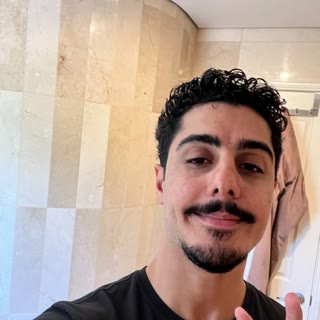
- Add one photo. Take a selfie or upload a photo of yourself or your AI creator. A clear, front-facing photo with the whole head visible works best. The outfit in the photo comes with it, so wear what you want to see in the clip.
- Make it. Tick the consent box and press Make it. The swap takes about 3 to 8 minutes, and you can leave the page. Download the MP4 from Your videos.
What brands and creators use it for
- You, in a trend. Drop yourself into this week's dance or meme format without learning it.
- One script, many faces. Re-cast an AI creator ad with a different creator to test which face sells better.
- Yourself, without reshooting. Founders and creators can drop themselves into a format that already worked.
What it costs
Every swap uses 1 video from the same monthly pool as creator and animated videos: Starter (US$35 a month, 8 videos), Growth (US$99 a month, 25 videos), Pro (US$229 a month, 60 videos). Swaps can be 2 to 10 seconds. A swap that fails, or that every provider's filter refuses, is given back. Full pricing ↗
Tips for a clean swap
- Choose a part of the clip where one person is fully in frame and not covered by text or other people.
- Use a sharp, well-lit photo facing the camera, with the whole head visible. The outfit in the photo is copied too.
- Shorter is safer. Start with 5 seconds, then go longer once you like the result.
Common questions
What is character swap?
Character swap replaces the person in a short video with someone else from a single photo. The new person copies the original's movement, expressions, camera and timing, and the original sound is kept.
How much does a character swap cost on EZUGC?
Each swap uses 1 video from your plan's monthly allowance, the same as a creator or animated video, and can be up to 10 seconds. Character swap is included in Starter (US$35 a month, 8 videos), Growth (US$99 a month, 25 videos), Pro (US$229 a month, 60 videos). If a swap fails, the video is given back.
Is character swap on the free plan?
No. Free accounts can paste a link and crop a clip to try the flow, but making the swap needs Starter, Growth or Pro.
Can I swap in a cartoon mascot instead of a person?
No. The swap turns whoever is in the photo into a realistic person, so a cartoon mascot comes out human. Use a photo of a real person: you or your AI creator. For a mascot, make an animated video instead.
Which links work?
TikTok and Instagram links, plus any uploaded video file. YouTube blocks downloads from cloud servers, so download the YouTube video and upload the file instead. Clips must be under 3 minutes; you swap up to 10 seconds of it.
Why was my clip refused?
Some clips are flagged by a video model's content filter, often sport, fighting or shirtless footage. EZUGC then tries a second provider running the same model. If both refuse, no video is used from your plan.
Whose videos and faces can I use?
Only clips you have the right to use, and photos of yourself, your own characters or people who have said yes. You confirm this before every swap. Don't use a swap to pretend to be someone, or to mislead people about who is in a video.
Make your first swap.
Paste a link, crop, add a photo.
Open character swap ↗